Blog Summary
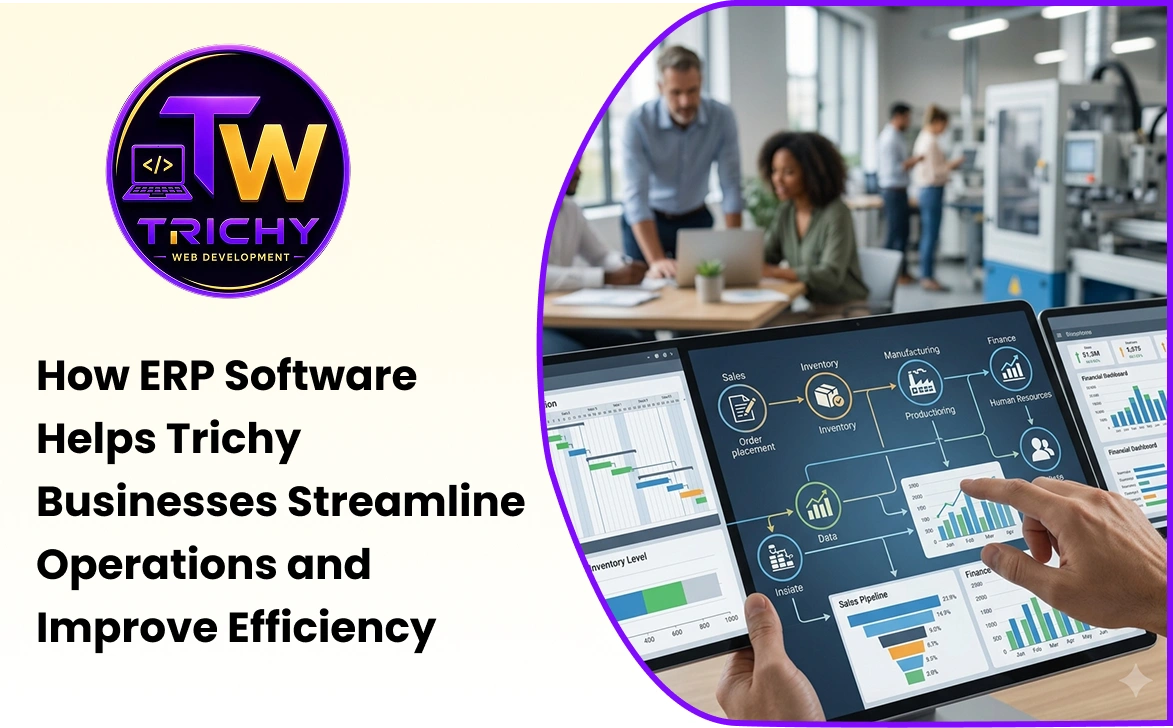
ERP software helps businesses connect departments, centralize operational data, automate workflows, improve reporting, and manage business processes through a shared system. As organizations grow, disconnected spreadsheets and separate applications can make information difficult to manage. This guide explains important ERP features for growing businesses, the benefits of ERP software, implementation considerations, and how to evaluate an ERP system according to actual business requirements.
Quick Answer: What Is ERP Software for Businesses?
ERP software for businesses is an integrated system that helps organizations manage multiple business functions through a centralized platform. Depending on the ERP solution, modules can include finance, accounting, sales, purchasing, inventory, human resources, manufacturing, customer management, projects, reporting, and other operational functions.
For growing organizations, an ERP system can reduce fragmented information, standardize workflows, automate repetitive tasks, and provide management with a more connected view of business operations.
However, ERP is not automatically the right solution for every business. The system should be selected based on the organization's processes, size, complexity, budget, integration requirements, and growth plans.
Introduction
As a business grows, its operations usually become more complicated.
A small company may initially manage customers through spreadsheets, purchases through email, accounts through accounting software, and inventory through manual records.
This approach can work when transaction volumes are low.
As the company adds employees, products, suppliers, customers, branches, warehouses, or business processes, information becomes increasingly distributed.
The sales team may have one version of customer information. The finance team may maintain another. The warehouse may update inventory separately. Management may wait for different teams to prepare reports before getting a complete picture of operations.
This fragmentation can create delays, duplicate data entry, inconsistent information, and limited visibility.
This is where ERP software for businesses becomes relevant.
An ERP system brings multiple business functions into an integrated environment so that departments can work with connected information and standardized workflows.
What Is ERP Software?
ERP stands for Enterprise Resource Planning.
ERP software is designed to integrate and manage business processes through a centralized system.
Depending on the organization and ERP platform, the system may cover:
-
Finance and accounting.
-
Sales and customer management.
-
Purchasing.
-
Inventory.
-
Warehouse operations.
-
Human resources.
-
Payroll.
-
Manufacturing.
-
Projects.
-
Service management.
-
Reporting and analytics.
-
Document management.
-
Business workflow automation.
The exact modules required depend on the business.
A manufacturing company may need production planning and material management, while a professional service company may focus more on projects, billing, customers, and employee management.
The purpose of ERP is not necessarily to provide every possible module. It is to connect the processes that matter to the organization.
Why Growing Businesses Consider ERP Systems
The need for ERP often becomes visible when existing systems start creating operational friction.
Common signs include:
-
Employees entering the same information into multiple systems.
-
Departments maintaining separate spreadsheets.
-
Difficulty determining current inventory.
-
Manual approval processes.
-
Limited visibility into sales performance.
-
Difficulty tracking purchases and suppliers.
-
Increasing reconciliation work.
-
Inconsistent customer information.
-
Management relying heavily on manually prepared reports.
These problems can become more expensive as transaction volume increases.
An ERP system can provide a common operational platform where information flows between connected business processes.
ERP Software for Small Businesses
ERP software for small businesses does not necessarily need to include every enterprise-level feature.
A small organization may initially need only a focused set of modules such as:
-
Accounting.
-
Sales.
-
Purchasing.
-
Inventory.
-
Customer management.
-
Basic reporting.
As the company grows, additional modules can potentially be introduced.
The important consideration is avoiding unnecessary complexity.
A small business should not choose an ERP simply because it has hundreds of features. The system should provide meaningful functionality for the organization's current needs while offering a practical path for future growth.
Key ERP Features for Growing Businesses
The ERP features for growing businesses should support both current operations and future expansion.
Centralized Business Data
One of the fundamental ERP capabilities is centralized data management.
Customer records, products, suppliers, transactions, purchases, and other information can be maintained within connected modules.
This reduces the need for departments to maintain separate versions of the same information.
Finance and Accounting
Financial modules can support activities such as:
-
Invoicing.
-
Receivables.
-
Payables.
-
Expense management.
-
General ledger.
-
Financial reporting.
-
Tax-related records.
Integrating finance with sales and purchasing can reduce manual reconciliation between departments.
Sales Management
ERP systems can help businesses manage enquiries, quotations, sales orders, customers, and related activities.
When sales information connects with inventory and finance, employees can access relevant information without repeatedly requesting it from another department.
Purchasing Management
Purchasing functionality can help manage suppliers, purchase requests, purchase orders, receipts, and purchase-related records.
Connecting purchasing with inventory can improve visibility into incoming stock.
Inventory Management
Inventory functionality can provide visibility into:
-
Stock levels.
-
Product movements.
-
Purchases.
-
Sales.
-
Warehouses.
-
Stock adjustments.
-
Reorder requirements.
This can be particularly important for businesses managing large product catalogs or multiple storage locations.
Human Resource Management
Depending on the ERP platform, HR modules can support employee records, attendance, leave, payroll, recruitment, and other workforce processes.
Workflow Automation
ERP systems can automate predefined activities such as approvals, notifications, calculations, status updates, and document generation.
For example:
Purchase Request → Approval → Purchase Order → Goods Receipt → Invoice Processing
Automation can reduce manual coordination between departments.
Reporting and Dashboards
ERP reporting can provide management with operational information without requiring employees to manually consolidate data from multiple spreadsheets.
Dashboards may show:
-
Sales.
-
Purchases.
-
Inventory.
-
Receivables.
-
Payables.
-
Expenses.
-
Operational performance.
The exact reporting capabilities depend on the ERP platform.
Business ERP Software Features That Support Integration
ERP becomes more valuable when different modules communicate with each other.
Consider a simple sales workflow.
Customer Order → Inventory Check → Invoice → Payment → Accounting Record
Without integration, employees may need to update multiple systems manually.
With connected ERP modules, the same transaction can move through multiple business functions according to predefined rules.
This reduces repetitive data entry and creates a more consistent information flow.
Benefits of ERP Software for Businesses
The benefits of ERP software for businesses can vary depending on implementation quality and organizational needs.
Improved Data Visibility
Management can access information from connected departments through a common system.
Reduced Duplicate Data Entry
Information entered once can potentially be reused by connected processes instead of being manually entered multiple times.
Better Process Standardization
ERP workflows can establish consistent procedures for sales, purchasing, approvals, inventory, finance, and other operations.
Faster Reporting
Centralized information can reduce the time required to prepare certain operational reports.
Improved Inventory Visibility
Businesses can monitor stock movements and inventory levels more systematically.
Better Coordination Between Departments
When teams work from shared information, handoffs between departments can become easier to manage.
Increased Automation
Routine tasks can be automated according to business rules.
Improved Management Control
Managers can use dashboards, reports, permissions, approvals, and audit records to oversee operations.
Support for Business Growth
An appropriately designed ERP system can provide a structured platform for adding users, products, processes, branches, or other operational requirements.
How ERP Supports Growing Businesses
Growth creates more than revenue.
It also creates more data, transactions, employees, customers, suppliers, approvals, and operational dependencies.
An ERP system for growing businesses can help organize this complexity.
For example, consider a company that begins with one warehouse and later expands to three locations.
Without a centralized system, employees may maintain separate stock records for each warehouse.
An ERP system can potentially provide centralized visibility while still maintaining warehouse-specific information.
Similarly, when a company expands its sales team, standardized sales and approval workflows can help maintain consistency across employees.
The objective is to make business growth more manageable without allowing operational complexity to grow uncontrollably.
ERP and Business Process Automation
ERP software and automation are closely connected.
Many business processes follow predictable sequences.
For example:
Sales Order → Stock Allocation → Delivery → Invoice
Or:
Purchase Request → Approval → Purchase Order → Receipt → Supplier Invoice
ERP software can automate certain steps based on business rules.
This can reduce manual communication and improve workflow consistency.
However, businesses should first review the process itself.
Automating an inefficient workflow without redesigning it can simply make the inefficient process happen faster.
ERP Integration With Other Business Systems
Businesses may already use several digital tools before implementing ERP.
These can include:
-
Payment gateways.
-
CRM systems.
-
Banking platforms.
-
Payroll systems.
-
Shipping systems.
-
Supplier portals.
-
Customer applications.
-
Business intelligence tools.
ERP integration can connect these systems through APIs or other integration mechanisms.
For example:
E-Commerce → ERP → Inventory
or:
Payment Gateway → ERP → Accounting
Integration can reduce duplicate entry and create more consistent data flows.
Businesses should evaluate authentication, synchronization, error handling, API limitations, and data ownership when planning integrations.
Cloud ERP vs On-Premise ERP
ERP systems can be deployed in different ways.
Cloud ERP
Cloud ERP is hosted on cloud infrastructure and accessed through the internet.
Potential advantages include:
-
Reduced infrastructure management.
-
Easier remote access.
-
Flexible infrastructure.
-
Centralized updates.
-
Scalability options.
However, businesses should consider recurring costs, internet dependency, vendor policies, data requirements, and integration needs.
On-Premise ERP
An on-premise ERP is deployed on infrastructure controlled by the organization or its chosen data-center environment.
Potential advantages can include greater infrastructure control and the ability to customize the environment according to specific requirements.
However, the organization may need to manage hardware, security, backups, updates, infrastructure maintenance, and technical administration.
Neither deployment model is automatically suitable for every business.
Custom ERP vs Ready-Made ERP
Businesses generally have two broad approaches.
Ready-Made ERP
A ready-made ERP provides predefined modules and workflows.
It can be appropriate when the business processes closely match the software's capabilities.
The advantages can include faster deployment and established functionality.
Custom ERP
A custom ERP is developed or heavily customized around a company's specific workflows.
This can be useful when the organization has specialized processes that standard ERP software cannot handle effectively.
However, custom development usually requires greater planning, development effort, testing, maintenance, and long-term ownership consideration.
The decision should be based on business requirements rather than assuming that customization is always better.
A Practical ERP Selection Framework: G-R-O-W
Businesses can use the G-R-O-W Framework when evaluating an ERP system.
G — Goals
Define what the business wants the ERP to improve.
Examples may include reducing manual entry, improving inventory visibility, speeding up reporting, or connecting departments.
R — Requirements
Document required modules, users, workflows, integrations, security controls, reporting needs, and data requirements.
O — Operations
Map how the business currently operates and identify which processes should be standardized, automated, or redesigned.
W — Workload and Growth
Consider transaction volumes, number of users, branches, products, data growth, and expected business expansion.
This framework helps businesses select ERP functionality based on actual operational requirements rather than simply comparing feature lists.
Example: ERP for a Growing Distribution Business
Consider a distribution company managing several hundred products.
Initially, sales, purchasing, and inventory may be managed through separate spreadsheets.
As orders increase, employees begin spending more time checking stock availability and reconciling purchase records.
The business introduces ERP modules for sales, purchasing, inventory, and accounting.
The resulting workflow could become:
Customer Order → Stock Check → Sales Confirmation → Inventory Update → Invoice → Accounting
Purchasing can also connect with inventory:
Low Stock → Purchase Request → Approval → Purchase Order → Goods Receipt → Inventory Update
The value of ERP comes from connecting these processes rather than simply replacing spreadsheets with another interface.
Example: ERP for a Growing Manufacturing Company
Manufacturing businesses often have more complex operational requirements.
A manufacturing ERP may need to connect:
Sales → Production Planning → Material Requirements → Purchasing → Production → Quality → Inventory → Dispatch
As the company grows, this connected workflow can provide greater visibility into materials, production status, stock levels, and customer orders.
The specific modules required will depend on the manufacturing process.
ERP Implementation Considerations
Selecting an ERP is only one part of the project.
Implementation can involve:
Process Mapping
Document how the business currently operates before configuring the ERP.
Data Migration
Determine what historical data needs to be transferred and how it should be cleaned before migration.
User Roles
Define what each employee should be able to view, create, modify, approve, or delete.
Customization
Customize only where there is a genuine business requirement.
Excessive customization can make future upgrades more difficult.
Integration
Identify external systems that need to exchange information with the ERP.
Testing
Test workflows using realistic business scenarios before going live.
Training
Employees need to understand not only how to use the software but also how the new processes work.
Post-Implementation Support
An ERP system should be monitored and improved after launch based on actual user feedback and operational requirements.
Common ERP Implementation Mistakes
Choosing an ERP Based Only on Features
A long feature list does not guarantee that the system fits the business.
The workflows behind those features matter more.
Ignoring User Adoption
An ERP system cannot improve operations if employees avoid using it or continue maintaining unofficial spreadsheets.
Over-Customizing the System
Every customization should have a clear business justification.
Migrating Poor-Quality Data
Moving incorrect or duplicate information into a new system can create problems rather than solve them.
Automating Without Process Review
Businesses should improve the workflow before automating it.
Underestimating Training
Employees need sufficient training and practical support during adoption.
Ignoring Future Requirements
The ERP should be evaluated according to expected business growth rather than only today's requirements.
Security Considerations for Business ERP Software
ERP systems often contain sensitive business information, making security an important consideration.
Businesses should evaluate:
-
Role-based access control.
-
User authentication.
-
Password policies.
-
Multi-factor authentication where appropriate.
-
Data encryption.
-
Secure APIs.
-
Backup and recovery.
-
Audit logging.
-
Administrative access.
-
Software updates.
-
Vulnerability management.
Not every employee needs access to every ERP module.
For example, warehouse employees may need inventory functionality without access to sensitive financial reports.
A properly designed permission model helps establish these boundaries.
How Much Does ERP Software Cost?
ERP pricing varies significantly.
Costs can depend on:
-
Number of users.
-
Number of modules.
-
Cloud or on-premise deployment.
-
Customization.
-
Data migration.
-
Integration requirements.
-
Implementation services.
-
Training.
-
Support.
-
Infrastructure.
-
Ongoing maintenance.
Therefore, businesses should avoid evaluating ERP solely by the subscription or license price.
A better evaluation considers total cost of ownership, including implementation, customization, training, integration, support, upgrades, and internal administrative effort.
When Is ERP the Right Choice?
ERP may be worth considering when a business:
-
Has multiple departments using disconnected systems.
-
Relies heavily on spreadsheets for core operations.
-
Experiences increasing transaction volumes.
-
Needs centralized operational information.
-
Requires standardized workflows.
-
Has growing inventory or purchasing complexity.
-
Needs better management reporting.
-
Wants to automate repetitive business processes.
-
Is expanding to multiple branches or locations.
-
Needs different departments to work from shared information.
ERP may not be necessary when a small business has simple operations that can be effectively managed using a few specialized applications.
The objective should be to solve a business problem, not to implement ERP simply because the company is growing.
Questions to Ask Before Choosing an ERP
Before selecting an ERP system, businesses can ask:
-
Which business processes need improvement?
-
Which departments need to be connected?
-
What modules are genuinely required?
-
How many users will need access?
-
What integrations are necessary?
-
How much historical data needs to be migrated?
-
What reports and dashboards are required?
-
How much customization is necessary?
-
What security controls are available?
-
How will backups and recovery be handled?
-
What training and support are included?
-
How will the system scale as the business grows?
-
What is the expected total cost of ownership?
-
How easy will it be to maintain and upgrade?
These questions can help businesses move from feature comparison toward actual requirements analysis.
Conclusion
ERP software for businesses can become an important operational foundation when growing organizations begin to experience increasing complexity across departments and workflows.
The value of ERP does not come simply from having more software features. It comes from connecting business processes, centralizing information, reducing repetitive work, standardizing operations, and giving employees and managers better visibility into what is happening across the organization.
For smaller organizations, ERP software for small businesses can provide a structured way to bring essential processes together without unnecessary complexity. For larger or rapidly expanding organizations, an ERP system for growing businesses can support more sophisticated workflows, integrations, reporting, and operational controls.
Before selecting an ERP, businesses should define their goals, map their processes, identify essential requirements, evaluate integration and security needs, consider implementation costs, and plan for future growth.
The right ERP system should not simply add another layer of technology to the business. It should make the way the business operates more connected, measurable, and manageable.