Blog Summary
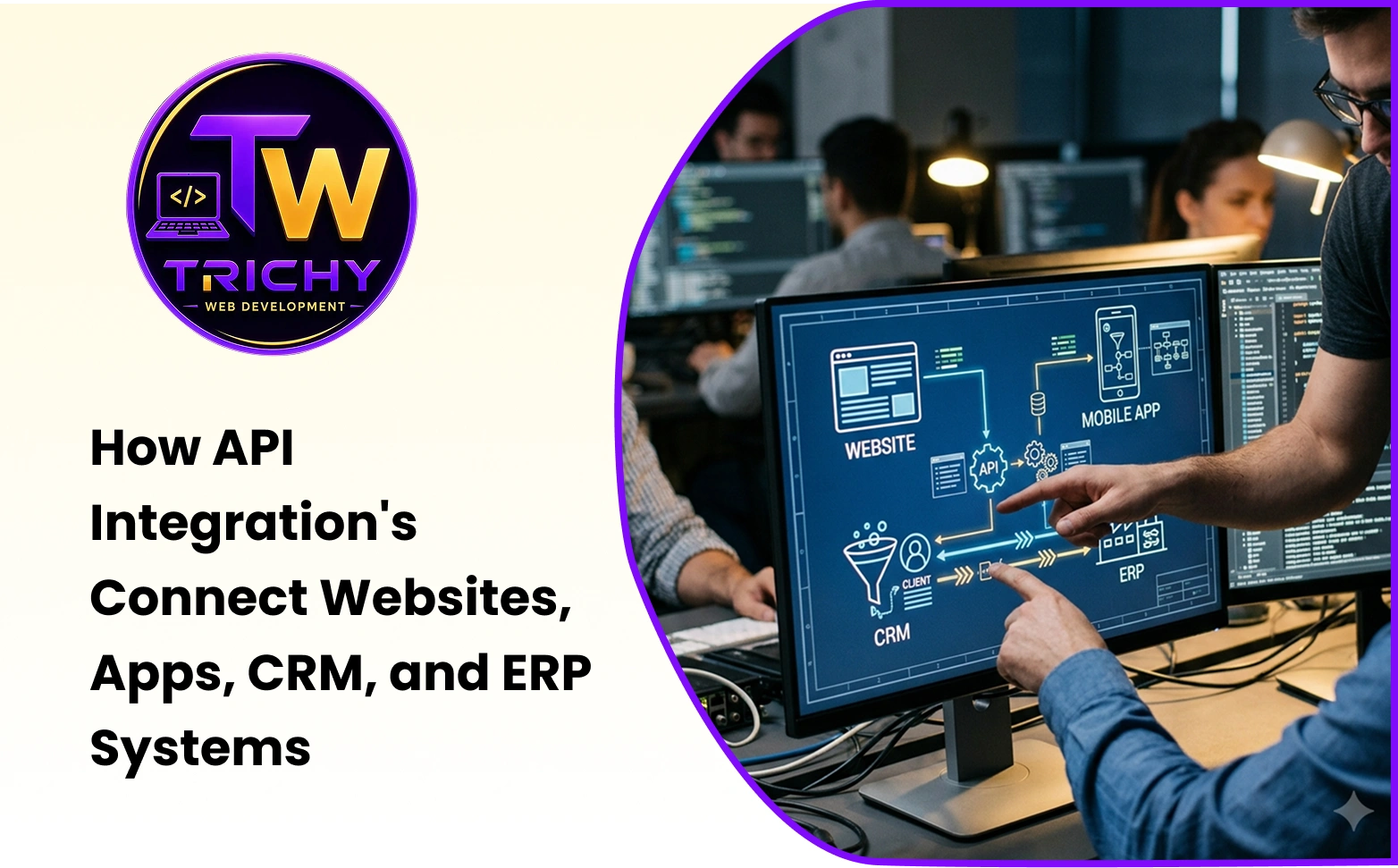
Modern businesses depend on multiple software applications to manage different parts of their operations. A company may use a website to capture leads, a CRM to manage customers, an ERP for finance and operations, an e-commerce platform for orders, and separate tools for payments, communication, HR, marketing, or analytics.
These applications can work effectively on their own. However, problems arise when employees have to manually transfer information between them.
A customer enquiry may need to be copied from a website into a CRM. An order may need to be entered into an ERP. Payment information may need to be checked separately. Employees may have to reconcile data across several platforms before preparing a report.
API integration for business automation helps solve this problem by allowing software applications to communicate and exchange information automatically.
Instead of treating every application as an isolated system, businesses can connect them through APIs and create workflows in which information moves between systems according to predefined rules.
This can reduce repetitive work, improve data consistency, speed up processes, and create a more connected digital operating environment.
Quick Answer: What Is API Integration for Business Automation?
API integration for business automation is the process of connecting different software applications through APIs so that they can exchange data and trigger actions automatically.
For example, when a customer submits a form on a website, an API can send the information directly to a CRM. When an order is confirmed, another API connection can transfer the relevant information to an ERP or inventory system.
This allows businesses to automate repetitive information movement instead of depending on employees to copy and paste data between applications.
The real value comes from connecting the right systems around a clearly defined business process.
Introduction
Software has transformed how businesses operate.
Sales teams use CRMs.
Finance teams use accounting platforms.
Operations teams use ERP systems.
Marketing teams use campaign platforms.
Customer-service teams use support applications.
Employees may use collaboration tools, HR platforms, project-management systems, and mobile applications.
Each application solves a particular problem.
But business processes rarely stay inside one application.
A customer enquiry may start on a website, move into a CRM, become an order, enter an ERP, trigger a payment, and eventually generate a customer-service interaction.
If those systems cannot communicate, employees become the bridge between them.
They copy information.
Send emails.
Update spreadsheets.
Check records.
Confirm statuses.
Repeat the same tasks throughout the day.
This is where API integration can create significant operational value.
What Is an API?
API stands for Application Programming Interface.
An API provides a structured method for one software application to communicate with another.
It defines how applications can request information, send information, or trigger supported actions.
For example, an e-commerce website may use an API to communicate with an inventory system.
The website can ask the inventory system for product availability.
The inventory system can return the relevant information.
The website can then display the appropriate stock status to the customer.
The website does not need to understand how the inventory system internally stores every record.
The API provides the communication mechanism.
This makes APIs one of the fundamental building blocks of modern software integration.
What Is API Integration?
API integration is the process of connecting software systems through their APIs so that they can exchange information or trigger actions.
The systems may include:
-
Websites
-
Mobile applications
-
CRM platforms
-
Accounting software
-
E-commerce platforms
-
Payment gateways
-
Marketing tools
-
HR applications
-
Inventory systems
-
Customer-support platforms
-
Analytics applications
The integration can be simple or highly sophisticated.
A simple integration might send a website enquiry to a CRM.
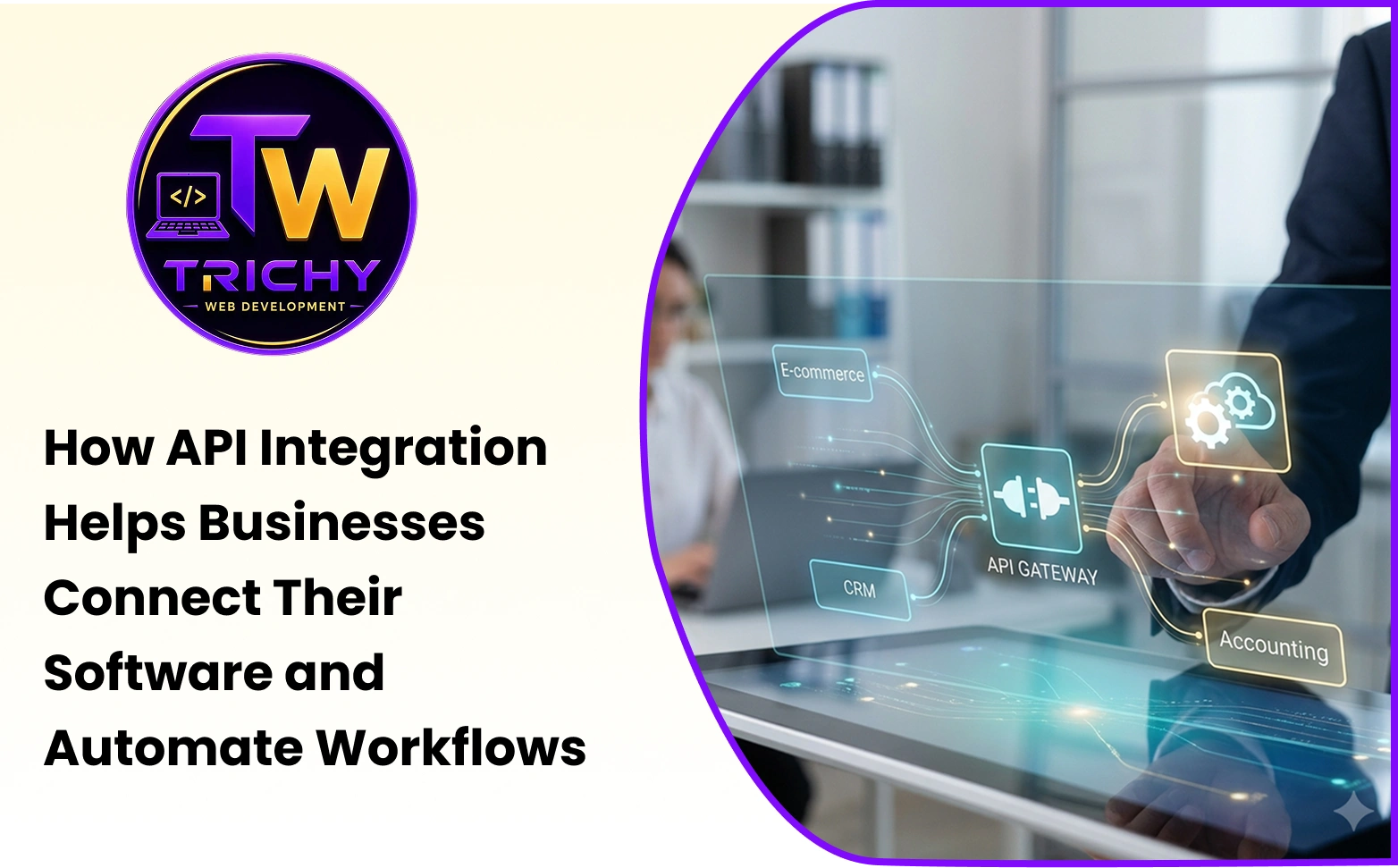
A more complex integration could connect a website, CRM, ERP, payment gateway, inventory system, shipping platform, and customer-support application into one connected workflow.
The complexity should be determined by the business requirement, not by the number of systems involved.
Why API Integration Matters for Business Automation
Businesses often think of automation as something that happens inside a single application.
However, many important processes cross multiple systems.
Consider an online order.
The website captures the order.
The payment gateway confirms the transaction.
The inventory system checks stock.
The ERP records the transaction.
The fulfilment team receives the order.
The customer receives a notification.
If every stage requires manual intervention, the process can become slow and error-prone.
API integration can allow these systems to communicate automatically.
This is why API integration for workflow automation is becoming increasingly important for businesses that depend on multiple digital platforms.
How API Integration for Workflow Automation Works
A workflow generally consists of a trigger, one or more actions, and a result.
For example:
A customer submits a quotation request.
The website sends the information through an API.
The CRM creates a new lead.
The system assigns the lead to the appropriate salesperson.
A notification is generated.
A follow-up task is created.
The salesperson contacts the customer.
The opportunity is then updated as it progresses.
The employee still performs the human part of the process.
The software handles the predictable movement of information.
This distinction is important.
Automation does not necessarily mean removing people from a workflow.
It means reducing the amount of repetitive coordination people need to perform.
API Integration for Data Synchronization
One of the most practical applications is API integration for data synchronization.
Businesses often store related information across multiple applications.
For example, customer information may exist in a CRM, ERP, billing system, customer-support platform, and website.
If one record changes, the other systems may also need the updated information.
Without synchronization, employees may need to update each system separately.
An API can allow changes to move between systems according to defined synchronization rules.
For example, when an approved customer address changes in the primary system, the integration can update the relevant connected application.
However, synchronization must be carefully designed.
Businesses need to define which system is the source of truth, which fields should be synchronized, when synchronization should occur, and how conflicts should be handled.
Simply connecting two databases does not automatically create reliable data synchronization.
API Automation for Businesses: Practical Examples
API automation for businesses can be applied across many departments.
A website can automatically send new enquiries to a CRM.
An e-commerce platform can send confirmed orders to an ERP.
A payment gateway can update payment status in an order system.
An inventory platform can send stock information to an online store.
An HR application can transfer employee information to payroll software.
A booking system can update calendar availability.
A customer-support application can retrieve customer information from a CRM.
A marketing platform can receive customer segments from a CRM.
These are different use cases, but they share the same basic principle:
When one system performs an action, another system receives the information it needs to continue the process.
Connecting Websites With Business Applications
Websites are often the starting point of important business processes.
Customers may submit enquiries, request quotations, book appointments, register accounts, download resources, or place orders.
If website information remains trapped inside form notifications, employees may need to manually process every submission.
API integration can connect the website directly to backend business systems.
For example, a service enquiry can move from the website to the CRM automatically.
The CRM can assign the enquiry.
The sales team can receive a notification.
A follow-up task can be created.
Management can track the lead through the sales pipeline.
The website has now become part of the company's operational workflow rather than functioning only as an online information source.
Connecting Mobile Applications With Business Systems
Mobile applications also depend heavily on APIs.
A customer app may need to retrieve account information, orders, bookings, payments, or support requests.
An employee application may need access to attendance, tasks, inventory, or service information.
Rather than duplicating all business data inside the mobile application, APIs can allow the application to communicate with backend systems.
The mobile app acts as the user interface.
The backend systems handle the business logic and data.
This separation can make it easier to manage applications while maintaining centralized business information.
Connecting CRM and ERP Systems
CRM and ERP integration is another important use case.
The CRM generally manages customer-facing activities such as leads, sales opportunities, communication, and customer relationships.
The ERP may manage orders, inventory, procurement, finance, production, and operations.
These functions naturally interact.
A salesperson may need product availability information.
Operations needs confirmed orders.
Finance needs customer and transaction information.
Customer service needs order and account status.
API integration can connect these systems so that relevant information moves between them automatically.
This can reduce manual handoffs and provide employees with a more complete view of the customer and business process.
API Integration and Payment Systems
Payment processing is another area where API integration can improve automation.
An online customer completes a payment.
The payment gateway processes the transaction.
The application receives the payment status.
The order system updates the transaction.
The customer receives confirmation.
Finance receives the relevant information.
If these steps are disconnected, employees may need to manually confirm payments and update order records.
An API connection can automate the communication between the payment system and the business application.
Payment integrations should receive particular attention to security, authentication, transaction verification, and error handling.
API Integration and Inventory Management
Inventory data often needs to move between multiple systems.
An e-commerce website needs to know product availability.
A warehouse system needs to track stock.
An ERP may maintain purchasing and inventory information.
A sales team may need current availability before confirming an order.
Without integration, inventory numbers can become inconsistent across systems.
API integration can synchronize relevant stock information.
For example, when an order is completed, the inventory system can update the available quantity.
The website can then reflect the new availability.
The exact synchronization approach depends on the business architecture and transaction requirements.
Benefits of API Integration for Businesses
The benefits of API integration for businesses are not limited to technical efficiency.
They can directly affect employee productivity, customer experience, data quality, and operational scalability.
Reduced Manual Work
Employees spend less time copying information between applications.
This can free up time for activities that require judgment, communication, problem-solving, and decision-making.
Faster Workflows
Information can move between systems immediately or according to a defined schedule.
This can reduce delays between departments.
Better Data Accuracy
Automated data transfer can reduce errors caused by manual copying and re-entry.
However, the source information must still be accurate.
Improved Customer Experience
Customers can receive faster confirmations, more accurate information, and smoother interactions when connected systems provide current data.
Greater Operational Visibility
Connected systems can provide a more complete view of business activities.
Management can make decisions based on information from multiple operational areas.
Easier Scalability
As transaction volumes increase, automation can help businesses manage more activity without increasing manual coordination at the same rate.
API Integration Reduces Data Silos
A data silo occurs when information remains isolated within a particular department or application.
For example, the sales team may know the customer history while finance knows the payment status and operations knows the fulfilment status.
No single team has the complete picture.
API integration can help break down these silos by allowing relevant information to move between systems.
This does not mean every employee should have access to every piece of information.
Good integration design should preserve role-based access and data security.
The objective is controlled information sharing.
Automation Should Start With the Business Process
A common mistake is beginning an integration project by asking:
“What APIs are available?”
A better question is:
“Which business process needs improvement?”
Suppose a company receives hundreds of enquiries each month.
Employees manually transfer website leads into a CRM.
That process may be a strong candidate for automation.
Another company may have problems with order-to-invoice processing.
For that business, connecting the e-commerce platform, ERP, and accounting system may provide greater value.
Integration should therefore be driven by business priorities.
Technology should support the process rather than determine it.
A Practical API Automation Framework
Businesses can evaluate potential integrations using five steps.
Identify: Find the repetitive process that causes the most operational friction.
Map: Document where the information starts, where it goes, and who interacts with it.
Define: Decide which system owns each piece of information and what should trigger each action.
Connect: Build or configure the required API integrations.
Measure: Compare the process before and after implementation.
This approach makes integration more purposeful.
It also makes it easier to identify whether the project produced a measurable improvement.
Choosing Between Direct Integration and Middleware
There are different ways to connect applications.
A direct integration can connect one application directly to another.
This can work well when only a small number of systems need to communicate.
As the number of applications increases, however, direct connections can become difficult to manage.
Middleware or an integration layer can provide a central communication point between systems.
This can simplify monitoring, transformation, routing, and error handling.
The appropriate architecture depends on the number of systems, data volume, complexity, security requirements, and future growth.
There is no single architecture that is correct for every business.
Real-Time Integration vs. Scheduled Synchronization
Not every business process needs real-time integration.
Consider inventory availability for an e-commerce business.
Real-time or near-real-time updates may be important if stock changes frequently.
For a monthly management report, however, a scheduled data transfer may be sufficient.
Real-time integration can provide immediate information but may introduce additional infrastructure and monitoring requirements.
Scheduled synchronization can be simpler when immediate updates are not necessary.
Businesses should select the approach based on the actual operational requirement.
API Security and Access Control
APIs can provide access to business data and application functionality.
Security must therefore be part of the integration design from the beginning.
Businesses should consider authentication, authorization, encryption, input validation, access permissions, rate limiting, logging, credential management, and monitoring.
API credentials should be protected carefully.
Applications should receive only the permissions they actually need.
Sensitive information should not be transferred simply because it is technically possible.
Security requirements should also be reviewed when applications, APIs, or business processes change.
What Happens When an API Fails?
No integration should assume that every request will succeed.
An external service may become unavailable.
A network connection may fail.
Authentication may expire.
The receiving system may reject the data.
An unexpected response may be returned.
A reliable integration should be able to detect and handle these situations.
Depending on the workflow, this may involve retries, queues, logging, alerts, validation, fallback processes, or manual reconciliation.
For critical transactions, businesses should also know whether a request was successfully processed.
Silent failures are particularly dangerous because they can remain unnoticed.
Data Validation Is Essential
Automation can make a bad data process faster.
If a website allows incomplete information into the CRM, API integration will not automatically correct it.
If an ERP receives an invalid product code, the integration may fail.
Data validation should therefore occur before information is transferred or processed.
Businesses should define required fields, acceptable formats, valid identifiers, and business rules.
Validation helps prevent errors from spreading across connected systems.
API Versioning and Maintenance
An integration that works today may require maintenance in the future.
Software providers can introduce new API versions.
Endpoints may change.
Authentication methods can be updated.
Data structures may evolve.
Rate limits may change.
Businesses should therefore monitor important integrations and keep track of API documentation and version changes.
This is one reason integration should be treated as an ongoing software component rather than a one-time development task.
Common API Integration Mistakes
Businesses often make the mistake of integrating systems without clearly defining data ownership.
Another problem is attempting to transfer too much information.
Not every field needs to move between every application.
Poor error handling can create serious operational issues.
Security may also be overlooked when teams focus primarily on functionality.
Another common issue is failing to monitor the integration after launch.
A system that silently stops transferring information can create problems long before someone notices.
Finally, businesses sometimes automate complicated processes without simplifying them first.
A good principle is:
Simplify the workflow before automating it.
When Should a Business Consider API Integration?
API integration becomes especially valuable when employees repeatedly move information between applications.
It can also be useful when:
-
Multiple systems depend on the same business information.
-
Manual data entry is consuming significant employee time.
-
Data inconsistencies are affecting operations.
-
Customers experience delays caused by disconnected systems.
-
Management needs information from multiple platforms.
-
Transaction volumes are increasing.
-
The business wants to reduce repetitive administrative work.
The presence of multiple applications alone does not mean integration is necessary.
The strongest case exists when disconnected systems are creating measurable operational friction.
Custom API Integration for Businesses
Some software platforms offer ready-made connectors.
These can be useful for common business requirements.
However, organizations with custom websites, proprietary software, specialized workflows, or complex system architecture may need custom API development.
For example, a business may need to connect its custom website with a CRM, ERP, payment gateway, inventory system, and mobile application.
A custom integration layer can be designed around the organization's specific requirements.
This is where a technology development partner such as Trichy Web Development can be useful when a business needs custom API integration, web application connectivity, or workflow automation across multiple software systems.
The goal should be to build only the integration required to solve a genuine operational problem.
How to Measure API Integration Success
A successful integration should produce measurable improvements.
Businesses can compare the process before and after implementation.
Useful measurements may include:
-
Manual data-entry time
-
Order processing time
-
Number of duplicate records
-
Data correction frequency
-
Customer response time
-
Internal handoff time
-
Failed transaction rate
-
Reconciliation effort
For example, if employees previously spent several hours each week transferring website enquiries into a CRM, the business can measure the reduction after automation.
The measurement should be connected to the original business problem.
The Future of API Automation for Businesses
Business software is becoming increasingly interconnected.
Websites, mobile applications, CRM platforms, ERP systems, payment services, analytics platforms, communication tools, and AI applications can all become part of a connected digital environment.
API integration will continue to play an important role in this environment because businesses need different applications to exchange information.
AI can also benefit from connected systems.
An AI assistant may need information from a CRM, ERP, knowledge base, or customer-support system to provide useful responses.
However, AI does not replace the need for good integration architecture.
Reliable data, clear permissions, security, monitoring, and well-defined workflows remain essential.
The future of automation will therefore involve not just individual applications but connected systems working together around business processes.
Conclusion
Businesses do not operate through isolated systems anymore.
A customer may begin their journey on a website, interact with a CRM, place an order through an application, make a payment through a gateway, and receive fulfilment managed by an ERP.
If these systems cannot communicate, employees have to fill the gaps.
They copy information.
Check records.
Send updates.
Reconcile data.
Repeat administrative tasks.
API integration changes this model.
By connecting applications through structured interfaces, businesses can create workflows in which information moves automatically between the systems that need it.
The value of API integration for business automation is therefore not simply technical.
It can reduce repetitive work, improve data synchronization, accelerate processes, strengthen customer experiences, and provide a foundation for scalable digital operations.
The best integration projects do not begin by connecting every available application.
They begin with a business problem.
Identify the process.
Map the information flow.
Determine which system owns the data.
Choose the appropriate integration architecture.
Build security and error handling into the solution.
Measure the outcome.
Then expand the automation where it creates additional value.
When software systems communicate effectively, businesses can spend less time moving information between applications and more time using that information to serve customers, improve operations, and grow.