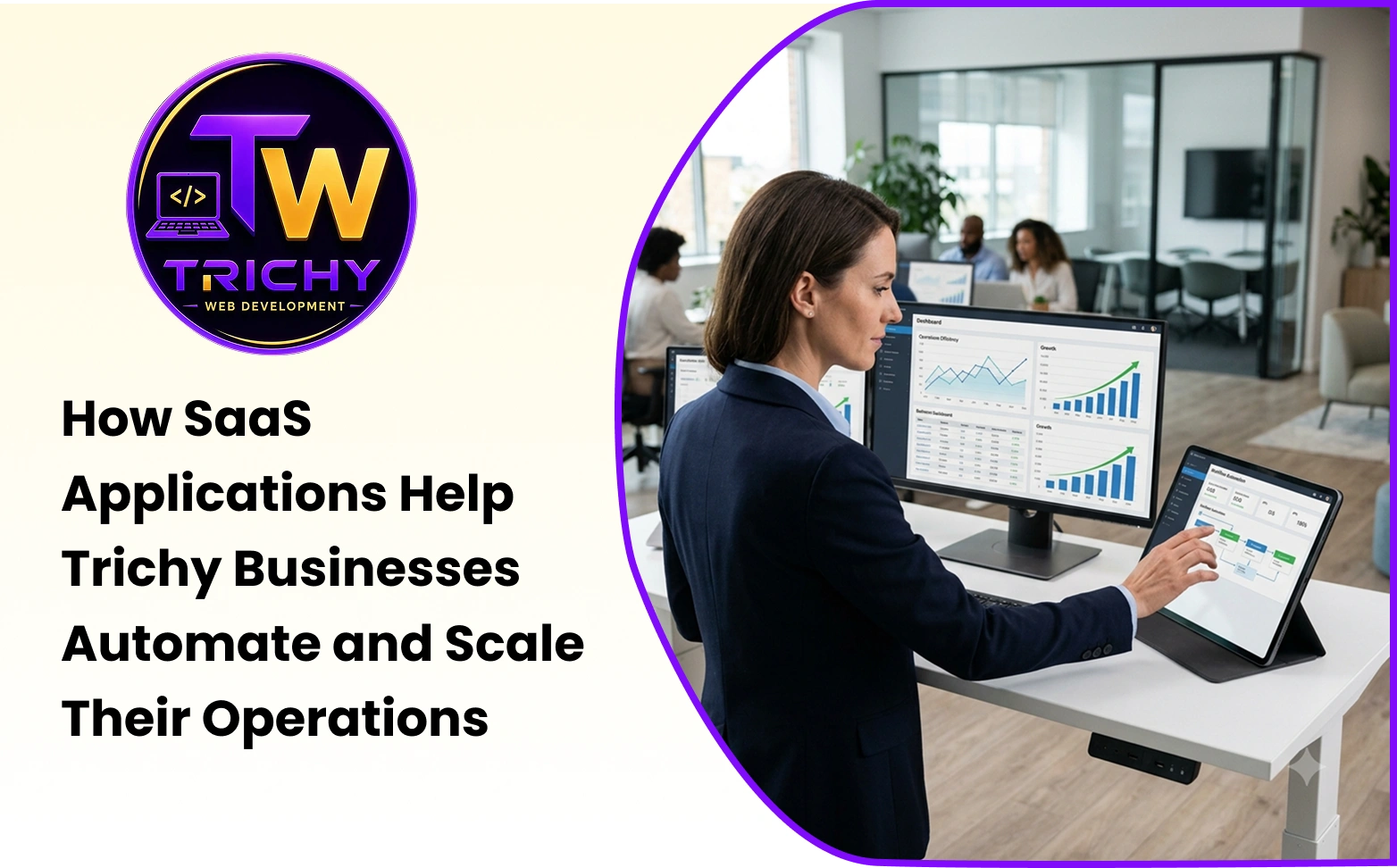
Blog Summary
As Trichy businesses grow, managing customers, sales, inventory, finance, employees, orders, and daily operations through spreadsheets and manual communication can become increasingly difficult. Business automation software gives businesses a way to digitize repetitive activities, organize information, and create more consistent workflows.
SaaS applications take this approach further by delivering software through the cloud. Businesses can access applications through internet-connected devices without having to manage all the traditional infrastructure associated with locally installed systems.
For small and growing businesses, this can make it easier to adopt CRM, accounting, project management, inventory, customer support, HR, marketing, and other business systems. When these applications are selected and connected properly, they can reduce repetitive work, improve collaboration, increase visibility, and provide a more scalable foundation for operations.
However, SaaS should not be adopted simply because it is a modern technology model. The real value comes from choosing software that solves a genuine business problem and fits the way the organization operates.
Quick Answer
How do SaaS applications help Trichy businesses automate and scale their operations?
SaaS applications help Trichy businesses automate and scale by moving business activities into cloud-based systems that can centralize information, standardize workflows, automate repetitive tasks, support collaboration, and provide access to operational data from different locations.
For example, a growing business can use SaaS applications to manage leads, customers, invoices, inventory, employee requests, appointments, projects, or customer support without depending entirely on spreadsheets and manual coordination.
The greatest benefit comes when these systems are selected according to specific business requirements and integrated where information needs to move between applications.
Key Takeaways
-
SaaS applications can automate repetitive business activities while allowing employees to focus on decisions, customer relationships, and problem-solving.
-
Cloud software for businesses can make business applications accessible across locations and devices.
-
Business process automation can reduce unnecessary manual handoffs and improve visibility into operational workflows.
-
SaaS benefits for small businesses can include easier access to professional software, reduced infrastructure responsibilities, faster deployment, and flexible scalability.
-
Trichy businesses can use SaaS differently depending on their industry, size, workflows, and growth requirements.
-
SaaS solutions for small businesses work best when they are chosen around actual business requirements rather than simply the number of features offered.
-
A combination of SaaS, integrations, and custom software can be useful when standard applications do not fully support specialized business processes.
Introduction
A small business can often manage its operations through informal processes.
A few employees may communicate directly. Customer details might be stored in a spreadsheet. Orders may be tracked manually. Managers may approve requests through email or messaging applications.
These methods can work surprisingly well at a smaller scale.
The problem appears when the business starts growing.
More customers mean more enquiries. More employees create more coordination. More orders create more records. More transactions increase the consequences of mistakes. More locations make information sharing harder.
Eventually, the business may spend more time coordinating information than actually using it.
This is where SaaS applications can become useful.
Instead of relying entirely on spreadsheets, emails, paper records, and disconnected tools, businesses can use cloud-based software to create structured digital workflows.
For businesses in Trichy, this can be particularly relevant across manufacturing, retail, logistics, healthcare, education, hospitality, professional services, real estate, and technology businesses.
The software required by each industry will be different. A manufacturer may need inventory and production coordination, while a retailer may prioritize stock and customer management. A professional service company may focus more on CRM, project management, and invoicing.
The underlying challenge is often similar:
How can the business handle more work without creating the same amount of additional administrative effort?
What Is Business Automation Software?
Business automation software is technology that uses predefined rules, workflows, triggers, or integrations to perform business activities with reduced manual intervention.
Automation can be relatively simple.
When a customer submits an enquiry, the system can automatically create a lead record and notify the appropriate employee.
It can also be more advanced.
An employee may submit a purchase request. The system can check the request, determine the required approval level, route it to the appropriate manager, record the decision, notify procurement, and update the status.
The employee is still responsible for the decision or business activity where human judgment is required. The software handles predictable coordination.
This distinction matters because useful automation does not necessarily mean removing people from a process. It means allowing people to spend less time on repetitive administrative steps.
What Are SaaS Applications for Businesses?
SaaS stands for Software as a Service.
Rather than installing and maintaining every software solutions on local infrastructure, businesses generally access SaaS products over the internet through a browser or application.
The provider manages much of the underlying software environment, while the customer uses the application according to its subscription or licensing model.
Examples include CRM platforms, accounting systems, project-management software, HR platforms, customer-support systems, marketing tools, collaboration applications, inventory systems, and many other business applications.
This model can make software adoption easier, particularly for organizations that do not want to build and maintain every application internally.
However, SaaS does not remove the need for technology decisions. Businesses still need to consider security, user access, integrations, data management, vendor reliability, pricing, compliance, and long-term suitability.
Why SaaS Is Relevant to Trichy Businesses
Trichy has a diverse business environment, so SaaS requirements can vary significantly between industries.
A manufacturing company may need systems for sales, inventory, procurement, production coordination, and customer records.
A retail business may need inventory management, customer management, ordering, billing, and marketing workflows.
A healthcare organization may need appointment scheduling, patient communication, billing, and administrative workflows.
An educational institution may need student management, admissions, communication, and administrative platforms.
A logistics business may need shipment tracking, delivery coordination, fleet information, customer records, and documentation.
A professional service company may need CRM, project management, invoicing, task management, and client communication.
These examples show why SaaS should not be selected simply because another business is using it. The right application depends on how the organization operates and which processes create the most administrative effort.
Practical Examples for Trichy Businesses
Consider a few common scenarios.
A Trichy-based manufacturer could use SaaS applications to connect sales orders with inventory information and procurement workflows. Instead of checking multiple spreadsheets, authorized employees could work from shared operational information.
A retail business could connect its customer management and inventory systems so employees can track customer activity while monitoring product availability.
A professional service company could use a CRM to capture enquiries, automatically assign leads, schedule follow-ups, and connect customer information with invoicing or project management.
A logistics company could use cloud-based systems to coordinate shipment information, customer communication, delivery status, and documentation across employees and locations.
The specific software will vary, but the objective remains the same: reduce unnecessary manual coordination while making important information easier to manage.
How SaaS Supports Business Process Automation
Business process automation becomes easier when information is already stored digitally.
Consider a sales process.
A potential customer submits an enquiry. Instead of an employee manually copying the information into a spreadsheet, a connected SaaS system can create a lead record automatically.
The system can assign the enquiry to a salesperson, create a follow-up task, send a notification, record communication, and update the opportunity as it progresses.
The salesperson remains responsible for understanding the customer and deciding how to respond. The software manages the repetitive transitions.
This approach can be applied to customer onboarding, purchase approvals, appointment scheduling, invoice reminders, service requests, employee leave requests, order processing, and support-ticket management.
From Manual Processes to Automated Workflows
Imagine a Trichy-based distributor receiving enquiries from its website, phone calls, email, WhatsApp, and social media.
Without a centralized system, different employees may record enquiries in different places. Some may be written into spreadsheets. Others may remain in email inboxes. Some may exist only in a salesperson's phone.
This makes follow-up difficult to track.
A suitable SaaS CRM can bring these enquiries into one structured workflow.
A new enquiry can be recorded. The appropriate salesperson can be assigned. A follow-up task can be generated. The lead status can be updated. Management can see which enquiries are pending.
The workflow becomes more predictable without requiring the business to constantly remind employees what to do next.
This illustrates an important principle:
Simple automation applied to a high-frequency process can create more practical value than sophisticated technology applied to a low-value task.
SaaS Helps Centralize Business Information
Information fragmentation is one of the common problems that appears as businesses grow.
Customer information may be stored in one spreadsheet. Sales information may exist in another. Invoices may be stored separately. Project updates may remain in messaging applications.
A SaaS application can centralize information within a defined system.
Authorized employees can access the records relevant to their roles. Sales teams can review customer activity. Managers can monitor selected operational information. Support teams can see customer history. Finance teams can work with relevant transaction data.
Centralization does not automatically make information accurate. Data quality still depends on the system design and user practices.
However, having a shared source of information can reduce unnecessary duplication and improve operational visibility.
Cloud Software for Businesses Improves Accessibility
One of the major characteristics of cloud software for businesses is accessibility.
Employees can generally access cloud-based applications through internet-connected devices without needing to be physically present at a specific office computer.
This can benefit businesses with sales representatives, field workers, multiple locations, travelling employees, or distributed teams.
A salesperson visiting a customer can update information immediately. A manager can review an approval request remotely. A business owner can check selected operational information without waiting for a manually prepared report.
However, greater accessibility also makes security more important.
Businesses should consider authentication, role-based permissions, device security, password management, account recovery, and access removal when employees leave the organization.
Convenience should always be balanced with appropriate security controls.
SaaS Benefits for Small Businesses
Small businesses often have limited budgets and smaller internal technology teams.
SaaS can reduce some of the complexity associated with maintaining business software because the provider manages much of the underlying environment.
A small company can begin with the functionality it needs today and expand as the business grows.
For example, a small sales team may initially need basic CRM functionality. As the company expands, it may require more users, automation, reporting, integrations, and advanced permissions.
This can create a gradual technology adoption path.
However, businesses should not assume that every SaaS product will remain inexpensive as usage grows. Additional users, premium features, storage, integrations, support, and higher subscription tiers can increase the overall cost.
Therefore, the right question is not simply:
“Is this SaaS product affordable?”
It is:
“Does this software create enough value to justify its total cost?”
SaaS Can Help Businesses Scale More Systematically
Growth creates operational pressure.
A spreadsheet that works for a small team can become difficult to manage when several departments depend on it. A manually maintained customer database can become increasingly difficult to keep accurate. An email-based approval process can become slow when transaction volumes increase.
SaaS applications can provide standardized systems that support larger volumes of users, records, and workflows.
But scalability should be evaluated according to realistic business expectations.
A solution suitable for a ten-person company may not be appropriate for a 500-person organization.
Businesses should therefore consider expected growth before selecting a platform. The goal is not to purchase the most powerful software available. It is to choose a system that can support likely operational requirements without creating unnecessary complexity.
SaaS Applications Improve Operational Visibility
When business activities occur within digital systems, organizations can potentially track them.
Managers may be able to see open leads, pending approvals, overdue tasks, unresolved support requests, sales activity, inventory information, or completed transactions.
This can reduce dependence on manually prepared reports.
However, more dashboards do not automatically mean better management.
The objective should be to expose information that supports actual decisions.
A business owner may not need dozens of charts. They may simply need to know which orders are delayed, which leads require attention, which invoices are outstanding, or where service requests are accumulating.
Useful visibility is focused visibility.
SaaS Helps Departments Work Together
As a business grows, departments often develop their own systems and processes.
Sales manages customers. Operations handles fulfilment. Finance handles billing. Support handles customer issues. Management monitors performance.
If each department uses disconnected systems, information can become fragmented.
Connected SaaS applications can help information move between teams.
For example, a completed sale can create an operations task. A completed service request can update customer history. A payment status can update account access. A support interaction can become part of the customer record.
The exact workflow depends on the business.
The principle is simple:
Digital systems become more valuable when they can communicate with each other.
Why SaaS Integration Becomes Important
Using several SaaS applications does not automatically create an efficient technology environment.
In fact, too many disconnected applications can create another type of operational problem.
A business might use one platform for CRM, another for accounting, another for inventory, another for marketing, and another for customer support.
If employees manually copy information between all these platforms, the business has simply replaced one form of fragmented work with another.
Integration can solve part of this problem.
APIs, webhooks, connectors, and synchronization processes can allow applications to exchange information.
For example, a successful payment may need to update a customer's subscription. A new order may need to update inventory. A customer record may need to appear in both CRM and support systems.
Integration should therefore be considered when evaluating the complete SaaS environment, not only individual applications.
SaaS Solutions for Small Businesses: What Should You Automate First?
A small business should not attempt to automate every process simultaneously.
Start with a workflow that:
-
occurs frequently,
-
follows identifiable rules,
-
consumes employee time, and
-
creates a measurable business problem.
Customer follow-ups can be a strong candidate.
Appointment confirmations, invoice reminders, lead assignment, purchase requests, support-ticket routing, order notifications, and routine reporting can also provide useful opportunities.
Suppose a business owner spends two hours every day manually reviewing enquiries and assigning follow-ups. Automating that workflow could provide immediate operational value.
By contrast, automating a process that happens twice a month may have a much smaller impact.
The best automation target is therefore determined by frequency, effort, and business impact.
Choose SaaS Based on the Process, Not the Feature List
A common mistake is selecting software because it has hundreds of features.
More features do not necessarily mean a better fit.
A better approach is to begin with the business process.
Ask:
-
What problem needs to be solved?
-
Who performs the process?
-
What information is required?
-
Where do delays occur?
-
Which steps are repetitive?
-
Which systems need to communicate?
-
What information does management need?
Once these questions are answered, businesses can evaluate SaaS applications against actual requirements.
This approach reduces the risk of paying for functionality that employees never use.
Security Should Be Part of the SaaS Decision
SaaS applications may contain important business information.
Before adopting a platform, businesses should understand how it manages authentication, user permissions, backups, account recovery, data protection, logging, and security updates.
Access should also be reviewed regularly.
Employees should have access to the information required for their roles rather than unrestricted access to every business record.
Businesses handling sensitive information may have additional regulatory, contractual, or industry-specific requirements.
Security should therefore be evaluated before implementation rather than after a problem occurs.
The Real Cost of SaaS Goes Beyond the Subscription
A monthly subscription is only one part of the cost.
Businesses may also pay for implementation, migration, additional users, premium features, integrations, storage, training, support, and related services.
A platform that appears inexpensive at the beginning may become significantly more expensive as the business expands.
There can also be indirect costs.
Employees need time to learn the system. Existing data may need to be cleaned. Old processes may need to be redesigned. Integrations may require development work.
Therefore, businesses should consider total cost and expected operational value before selecting SaaS software.
SaaS Changes How Employees Work
Automation is sometimes discussed as though its primary purpose is to replace employees.
In many business situations, a more useful objective is to reduce low-value administrative work.
A salesperson can spend more time speaking with customers instead of updating multiple spreadsheets.
A manager can focus on exceptions rather than manually checking every transaction.
An operations employee can spend more time resolving genuine problems instead of repeatedly checking whether a routine step has been completed.
A customer-support employee can focus on difficult customer issues while standard requests are routed automatically.
The goal should be to make human work more valuable.
A Practical 5C Framework for SaaS Automation
Businesses evaluating automation can use five simple questions:
1. Capture
Where does the information originate?
Identify where customer enquiries, orders, requests, payments, documents, or other business information first enter the organization.
2. Connect
Which people or systems need that information next?
Determine where the information needs to go and which employee, department, or application needs access to it.
3. Control
What rules determine the next step?
Identify the conditions, approvals, permissions, or triggers that determine how the workflow should proceed.
4. Communicate
Who needs to be informed?
Determine which employees, customers, managers, or systems need notifications or updates.
5. Confirm
How will the business know the process was completed?
Define the status, record, report, or confirmation that shows the workflow has reached its intended outcome.
For example, consider a purchase request.
The application captures the request. It connects the request to the appropriate manager. It applies the required approval rules. It communicates the decision to the employee and procurement team. It confirms completion by recording the final status.
This framework can be applied to customer enquiries, employee workflows, orders, service requests, approvals, and many other business processes.
Capture → Connect → Control → Communicate → Confirm
This gives businesses a simple way to examine an existing process before investing in automation.
How Trichy Businesses Can Start With SaaS
Businesses do not need to digitize every process at once.
A practical starting point is to identify one workflow that causes repeated frustration.
Document how the process currently works. Identify unnecessary steps. Determine which actions follow clear rules. Select a suitable SaaS application. Configure the workflow. Train the employees involved. Measure the result.
Then decide whether another process should be improved.
For example, a business could begin by automating lead assignment rather than attempting to automate sales, finance, HR, inventory, and customer support simultaneously.
This gradual approach can make digital transformation more manageable and allows the business to learn from each implementation.
Measuring the Impact of Business Automation
Automation should have a measurable objective.
If the goal is faster lead handling, measure response time.
If the goal is reducing administrative work, measure the time employees spend on the process.
If the goal is improving accuracy, track correction rates.
If the goal is faster approvals, measure approval turnaround time.
If the goal is better customer service, measure response or resolution time.
The metric should match the business problem.
A software implementation should not automatically be considered successful simply because employees started using a new application.
The better question is:
What became measurably better after the workflow changed?
Common SaaS Mistakes Businesses Should Avoid
One common mistake is adopting too many applications simultaneously.
Another is choosing software based on feature count instead of business requirements.
Businesses may also underestimate integration requirements.
Continuing to maintain spreadsheets alongside the new SaaS platform can be another warning sign. It may indicate that the software does not meet a requirement, employees have not adopted it properly, or the workflow itself needs improvement.
Another mistake is automating a process without simplifying it first.
If a workflow contains unnecessary approvals, duplicate data entry, and redundant checks, automating every step does not necessarily make it efficient.
Simplify first. Automate second. Measure third.
When SaaS May Not Be Enough
SaaS is not automatically the right solution for every business process.
Some organizations have highly specialized workflows that existing software cannot accommodate efficiently.
A business may have unique approval rules, proprietary operating processes, complex integrations, or specialized customer requirements.
In such cases, forcing the business to change its process to match an off-the-shelf SaaS product can create unnecessary workarounds.
A hybrid approach may be more suitable.
The business can use standard SaaS applications for common functions while using custom software for processes that genuinely need to be different.
For example, a company might use a standard accounting platform and CRM while developing a custom operational application that connects the two.
This is where a technology partner such as Trichy Web Development can become relevant for businesses evaluating custom software alongside standard SaaS products.
The important decision is not whether custom development sounds more advanced. It is whether the business has requirements that existing platforms cannot handle efficiently.
The Role of Custom Software Alongside SaaS
SaaS and custom software do not have to be competing choices.
They can work together.
A business may use SaaS for accounting, CRM, email marketing, communication, or project management while using a custom application for its unique operational processes.
This approach can provide a balance between standardization and flexibility.
For Trichy businesses with specialized workflows, Trichy Web Development can be considered when evaluating custom software, SaaS integrations, web applications, and business automation requirements.
The right solution depends on whether the organization's needs can be handled effectively by existing SaaS products or whether a custom layer would provide meaningful operational value.
The objective should always be to customize only where customization solves a genuine business problem.
The Future of SaaS and Business Automation
SaaS is becoming part of a broader digital operating environment.
Applications are increasingly connected through APIs and integrations. Automation is moving across systems instead of remaining within individual applications.
AI is also introducing new capabilities such as document classification, summarization, recommendations, intelligent search, and conversational support.
However, not every process requires AI.
A straightforward rule-based workflow can often solve a problem more reliably and economically.
The future of business automation is therefore likely to involve a combination of SaaS applications, integrations, workflow automation, analytics, and AI-assisted capabilities.
The strongest businesses will not necessarily be those using the most technology.
They will be those using technology where it produces measurable operational value.
Conclusion
SaaS applications can help Trichy businesses move from fragmented, manual processes toward more connected and scalable operations.
But the value of SaaS does not come simply from moving software to the cloud. It comes from solving operational problems.
A CRM can organize customer information. An accounting system can structure financial workflows. An inventory application can improve stock visibility. A project-management platform can coordinate tasks. Business automation software can connect repetitive steps. APIs can connect separate applications.
Together, these capabilities can create a more structured digital operating environment.
For small businesses, SaaS can provide access to capable software without requiring extensive internal infrastructure. For growing organizations, it can help standardize processes, improve visibility, and support additional users and transactions.
But technology should follow the business process.
Start with the problem.
Understand the workflow.
Remove unnecessary steps.
Automate predictable activities.
Connect systems where information needs to move.
Measure the result.
Then expand.
That is how business process automation, cloud software for businesses, and SaaS applications for businesses can become practical tools for sustainable operational growth.
If your business is managing leads, orders, inventory, approvals, customer information, or other repetitive activities through disconnected tools, reviewing the existing workflow can be a useful first step. Trichy Web Development can help businesses evaluate SaaS applications, integrations, custom web applications, and business automation requirements based on their operational needs.
The objective is not to use more software. It is to build a business that can work better as it grows.