
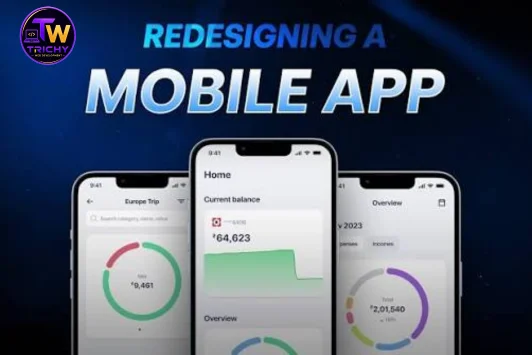
Mobile app interface redesign concept
Mobile App Redesign in Trichy
Trichy Web Development

Mobile App Redesign Service in Trichy

If customers struggle to find features, complete a booking or place an order in your existing app, a redesign can help make those tasks easier to understand. We review the current screens and user journeys, then plan interface and usability improvements around your app's purpose. The scope may range from selected screen updates to wider design and development changes, depending on the condition of the existing application.

Clearer screen layouts and navigation
Simpler user journeys for key tasks
Interface updates for supported devices
Testing of agreed redesign changes
Redesign Capabilities

What Can Be Improved in Your Mobile App?

We identify where the current experience creates friction and prioritise changes around the tasks people use your app to complete.

Mobile App Interface Redesign

Refresh screens that feel dated, crowded or inconsistent while keeping important actions easy to recognise.

  • Screen hierarchy
  • Typography and spacing
  • Consistent interface patterns

Navigation and User Flows

Review how users move between screens and remove avoidable steps from common tasks where possible.

  • Menu and screen structure
  • Task flow review
  • Clear action labels

Android App Redesign

Assess an existing Android app's layouts and interaction patterns against its users, supported devices and current requirements.

  • Screen layout review
  • Touch target checks
  • Device-size testing

E-commerce App Redesign

Make product discovery and purchase steps easier to follow without assuming that a design change alone will fix payment or backend issues.

  • Product and category views
  • Cart flow review
  • Checkout usability

Accessibility and Readability

Review text clarity, contrast, control labels and interaction size to help more users understand and operate the interface.

  • Readable text
  • Colour contrast review
  • Control and label checks

Usability Testing

Check the redesigned screens and agreed tasks to find layout issues, broken journeys and inconsistent behaviour before release.

  • Screen-by-screen checks
  • Navigation testing
  • Issue list and review

When Should You Consider a Mobile App Redesign?

A redesign is worth exploring when users repeatedly encounter friction or the interface no longer reflects how your service works.

✓Users cannot easily find key features
✓Important tasks involve confusing or unnecessary steps
✓Buttons, text or forms are difficult to use on phones
✓The visual style is inconsistent across screens
✓Product browsing or checkout is hard to follow
✓New features have made the app feel crowded
✓Customer feedback points to interface problems
✓Your app needs a clearer, more consistent user journey

What Does Mobile App Redesign Involve?

Mobile app redesign is the process of improving an existing application's interface, screen structure and user journeys. It starts by understanding what the app currently does, who uses it and where people encounter difficulty. Some projects focus on visual design; others need changes to navigation, forms or application code. Backend performance, security, payment integrations and business logic should be assessed separately rather than assumed to be fixed by a new interface.

Choose the Right Redesign Scope

The right scope depends on what is not working. A screen refresh may be enough for visual inconsistency, while a confusing purchase journey may need flow changes and development work.

  • Visual refresh for selected screens
  • Navigation and user-flow changes
  • Development for approved functionality
  • Separate scope for backend or integration issues

Prepare for an App Redesign

Sharing the current app, target users and the main problems helps define a realistic plan before design work begins.

  • List the most-used app tasks
  • Share user feedback or known issues
  • Identify essential screens and integrations
  • Agree on scope and acceptance checks
EXISTING APP IMPROVEMENTS

Make Important App Tasks Easier to Complete

For a retail app, that might mean making categories easier to scan and the cart easier to review. For a booking app, it may mean clearer dates, fewer confusing form fields and a more visible confirmation step. The redesign should respond to the real tasks your users need to complete, rather than adding visual effects that do not solve a problem.

Discuss Your App
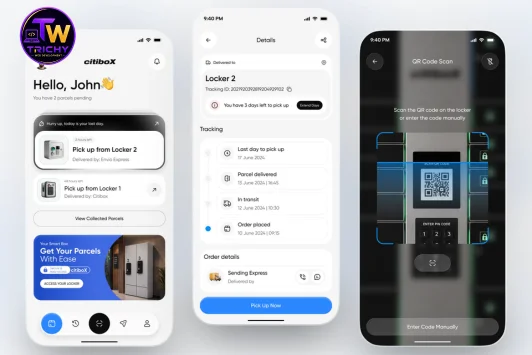
Example of an interface redesign concept for a digital product
Application Types

Mobile App Redesign for Different User Needs

Android Applications

Review navigation, screen layouts and touch interactions in an existing Android app, based on its framework and supported devices.

E-commerce Applications

Improve product discovery, product details, cart review and checkout steps so shoppers can follow the buying journey more clearly.

Booking Applications

Make service selection, date and time choices, form completion and booking confirmation easier to understand.

Business Applications

Organise dashboards, data-entry screens and frequently used actions around the needs of staff or business customers.

Our Methodology

Six Steps in an App Redesign Project

The work begins with the current app and its known problems. The agreed scope determines which design and development steps are needed.

01. Audit

Review the Existing App

Examine the current screens, navigation, key tasks, feedback and known technical constraints.

02. User Flows

Map Key Journeys

Identify the steps users take to browse, book, buy or complete the app's most important tasks.

03. Wireframes

Plan Screen Structure

Organise content and controls before committing to final visual styling.

04. UI Design

Design the Interface

Prepare consistent screen designs, readable text, clear actions and suitable interaction patterns.

05. Implementation

Build Agreed Changes

Implement approved updates within the existing app where its codebase and technical scope allow.

06. Testing

Check and Review

Test agreed journeys and supported device sizes, record issues and review fixes before release.

Why Partner With Us

A Practical Approach to App Redesign

Scope Before Design

Start by identifying the user problems and the changes that are actually needed.

Mobile-First Thinking

Give attention to screen space, touch interactions, readable content and common phone use.

Design and Development

Discuss implementation needs early when the redesign requires more than visual changes.

Testing of Agreed Flows

Review key interactions and the agreed scope before the updated app is released.

FAQ

Frequently Asked Questions

  • It may include reviewing existing screens, improving navigation and user flows, updating the interface, and testing agreed changes. The exact work depends on the app and its technical requirements.
  • An existing Android app can be assessed for interface, navigation and usability improvements. The available options depend on its codebase, framework and the changes required.
  • No, not in every case. Some projects need visual and navigation updates, while others require code changes or a larger rebuild. An initial assessment helps define the scope.
  • The redesign can focus on product discovery, category navigation, product details, cart review and checkout usability. Payment or backend changes may need separate technical work.
  • Timing depends on the number of screens, design complexity, existing code, integrations and testing. A realistic estimate can be prepared after the app and project scope are reviewed.
📱 Improve Your Existing App

Ready to Discuss Your Mobile App Redesign?

Tell us which parts of your app are difficult to use, what feedback you have received and which tasks matter most to your customers. We can discuss the current application and identify a suitable redesign scope.

Visual updates, navigation changes and deeper development work can require different levels of effort. The first step is to understand the app and agree on the problems to solve.

⭐ 125+ Web Projects🏆 5+ Years Experience💬 Customer-Focused Development
📍 Service Areas

Areas We Serve in Trichy

Trichy Web Development provides professional web design, website development, e-commerce, web applications, software development, mobile app development, UI/UX design, API integration, hosting, and technology solutions to businesses across Trichy and nearby areas. Whether you're a startup, small business, educational institution, healthcare provider, retailer, or large enterprise, our team delivers tailored web and software solutions to help you build a strong digital presence, streamline business operations, and support long-term growth.

We Proudly Serve Businesses Across Trichy
Thillai Nagar
KK Nagar
Srirangam
Cantonment
Woraiyur
Tennur
Karumandapam
Edamalaipatti Pudur
Puthur
Crawford
BHEL Township
Ariyamangalam
Kattur
Ponmalai (Golden Rock)
Vayalur Road
Bharathidasan Salai
Chathiram Bus Stand
Palakkarai
Subramaniapuram
Sangiliyandapuram
Airport Area
Thiruverumbur
Samayapuram
Manachanallur
Panjappur
Navalpattu
Central Bus Stand
Trichy Railway Junction
Gandhi Market
Palpannai
Anna Nagar
Thiruvaikovil
TVS Tollgate
No. 1 Tollgate
Ponnagar
Beema Nagar
Kallukuzhi
Thuvakudi
Pudukottai Road
Thanjavur Road
Karur Bypass Road
Manapparai
✨ LIMITED TIME OFFER

YEAR-END DIGITAL DEAL 🎉

Build Your Professional Online Presence

₹20,000 Regular Price
₹9,999/-
LAUNCH YOUR WEBSITE

Make your business stand out online with a professional website.

What's Included in Your Website Package

✓ Professional Website
✓ Domain
✓ Server Hosting
✓ SSL Certificate
✓ Mobile Responsive Design
✓ Fast & Secure Setup
⏳ Offer Valid Till December 31st
Start Your Digital Journey Today →

Terms & Conditions Apply.